

Each time one of our devices reports a sensor reading, a new data point (dot) is recorded within the corresponding data stream. Raw data points are generated by the device firmware and stored by our platform with an associated timestamp. Derived data points are generated from the device's raw data for further processing. This data is accessible through our APIs for reading and writing.
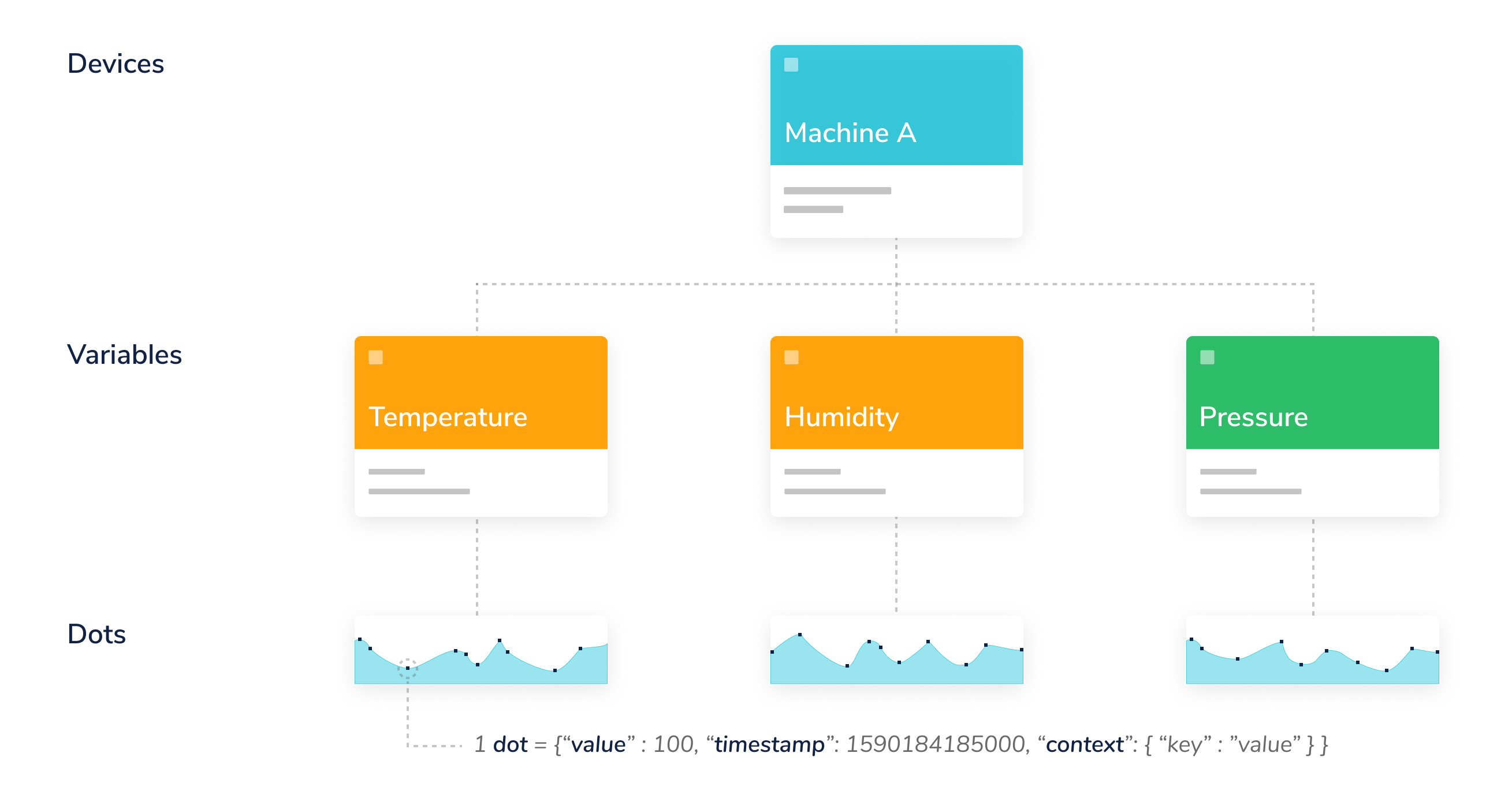
Connected Sensors Data Hierarchy
Each dot contains these items:
| Item | Description | Mandatory |
|---|---|---|
| value | A numerical value. Connected Sensors accepts up to 16 floating-point length numbers. | Yes |
| timestamp | Unix Epoch time, in milliseconds. If not specified, then our servers will assign one upon reception. | No |
| context | An arbitrary collection of key-value pairs. Mostly used to store the latitude and longitude coordinates of GPS devices. | No |
Values
A numerical value. Connected Sensors accepts up to 16 floating-point length numbers.
{"value" : 34.87654974}
Timestamps
A timestamp, as best described here, is a way to track time as a running total of seconds. This count starts at the Unix Epoch on January 1st, 1970 at UTC. Therefore, the unix time stamp is merely the number of seconds between a particular date and the Unix Epoch. Please keep in mind that when you send data to Connected Sensors, you must set the timestamp in milliseconds; also, if you retrieve a dot's timestamp, it will be in milliseconds.
"timestamp" : 1537453824000
The above timestamp corresponds to Thursday, September 20, 2018 2:30:24 PM.
PRO-TIP: A useful tool to convert between Unix timestamps and human-readable dates is Epoch Converter.
Context
Numerical values are not the only data type supported; you can also store string or char data types inside what we call context. The context is a key-value object that allows you to store not only numerical but also string values. An example use of the context could be:
"context" : {"status" : "on", "weather" : "sunny"}
Please note that you can mix both string and numerical values in the context.